Built around one idea: share the home, fairly
Equal House pairs a one-of-a-kind fairness engine with the everyday planners, calendar and tools families rely on. Here's everything it does.
Fairness Engine
A live Fairness Score that makes the mental load visible — and balances it for you.
Learn more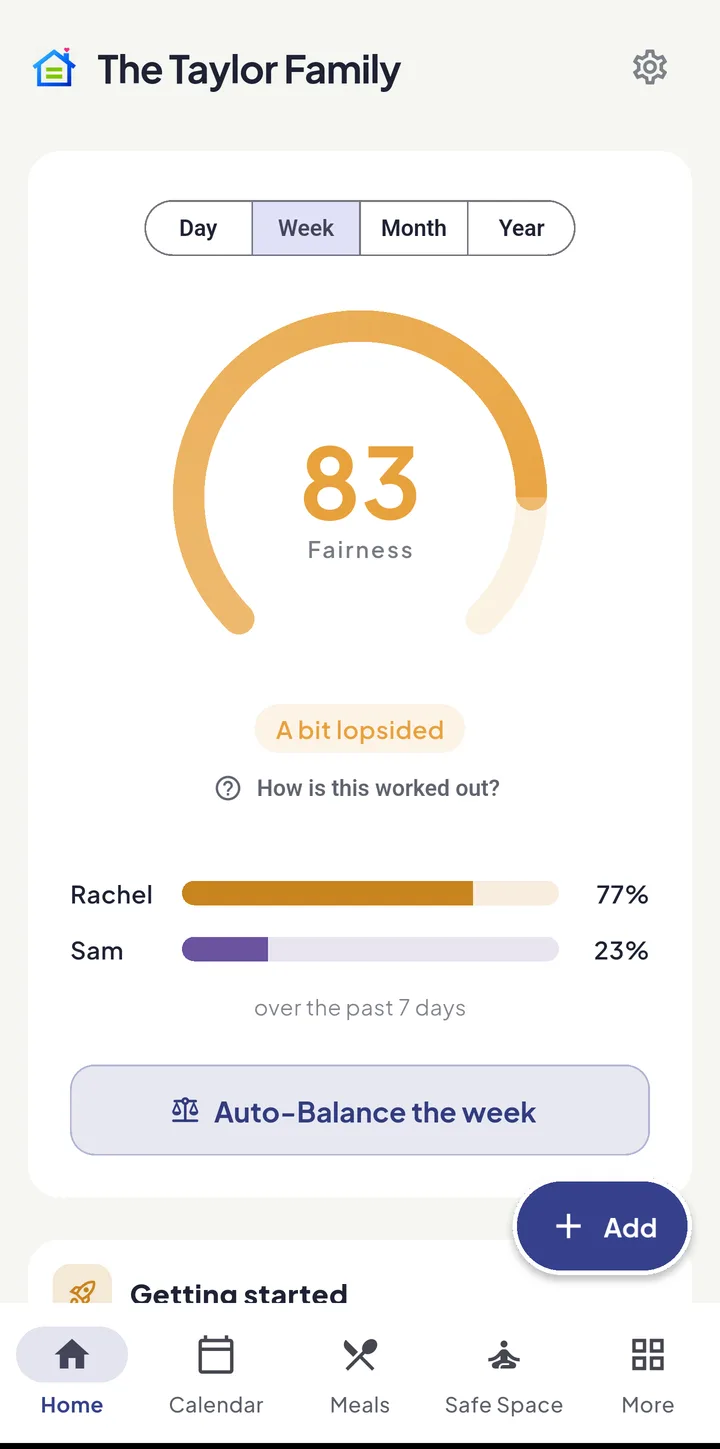
Smart planners
Planners that turn “what’s for dinner?” and “is it PE tomorrow?” into a done plan — and one shopping list for the whole house.
Learn more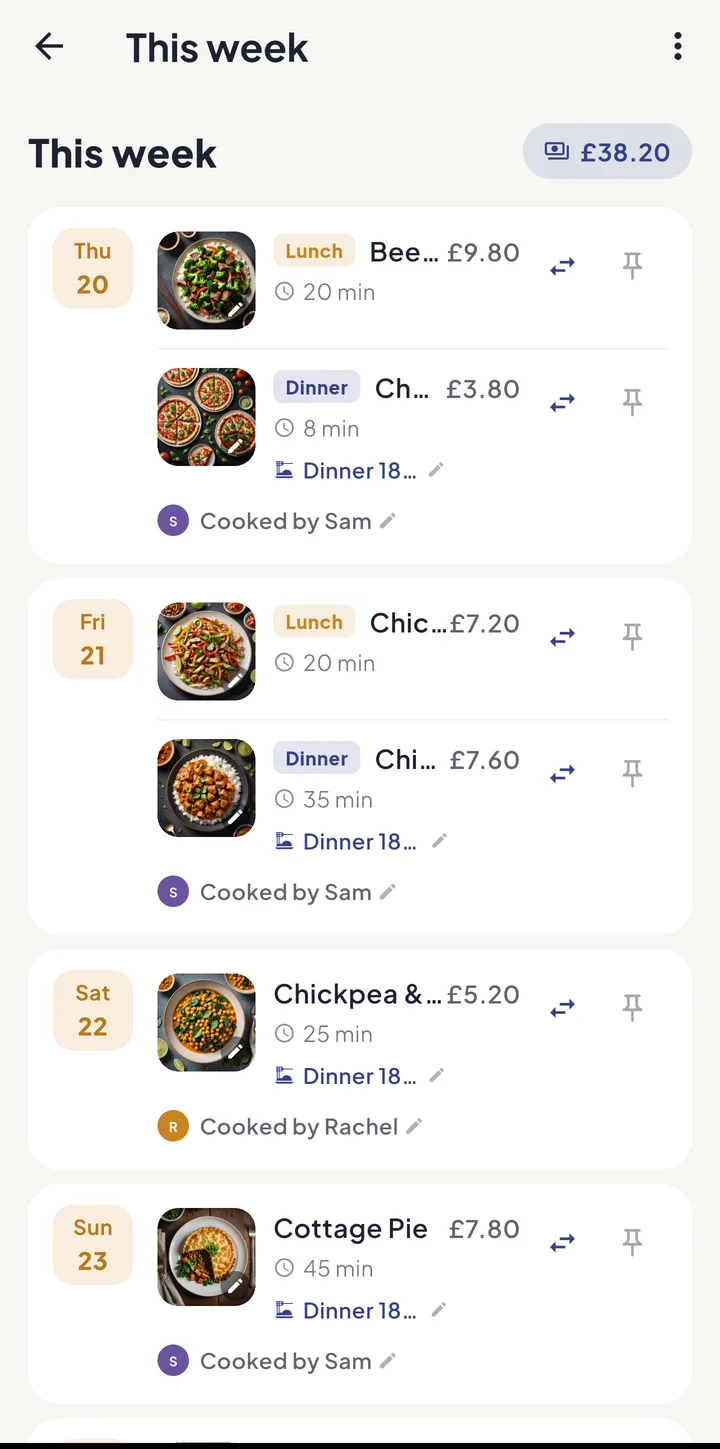
Shared calendar
Events, parties, school feeds and work shifts in one calm family agenda — with the chores kept on Tasks.
Learn more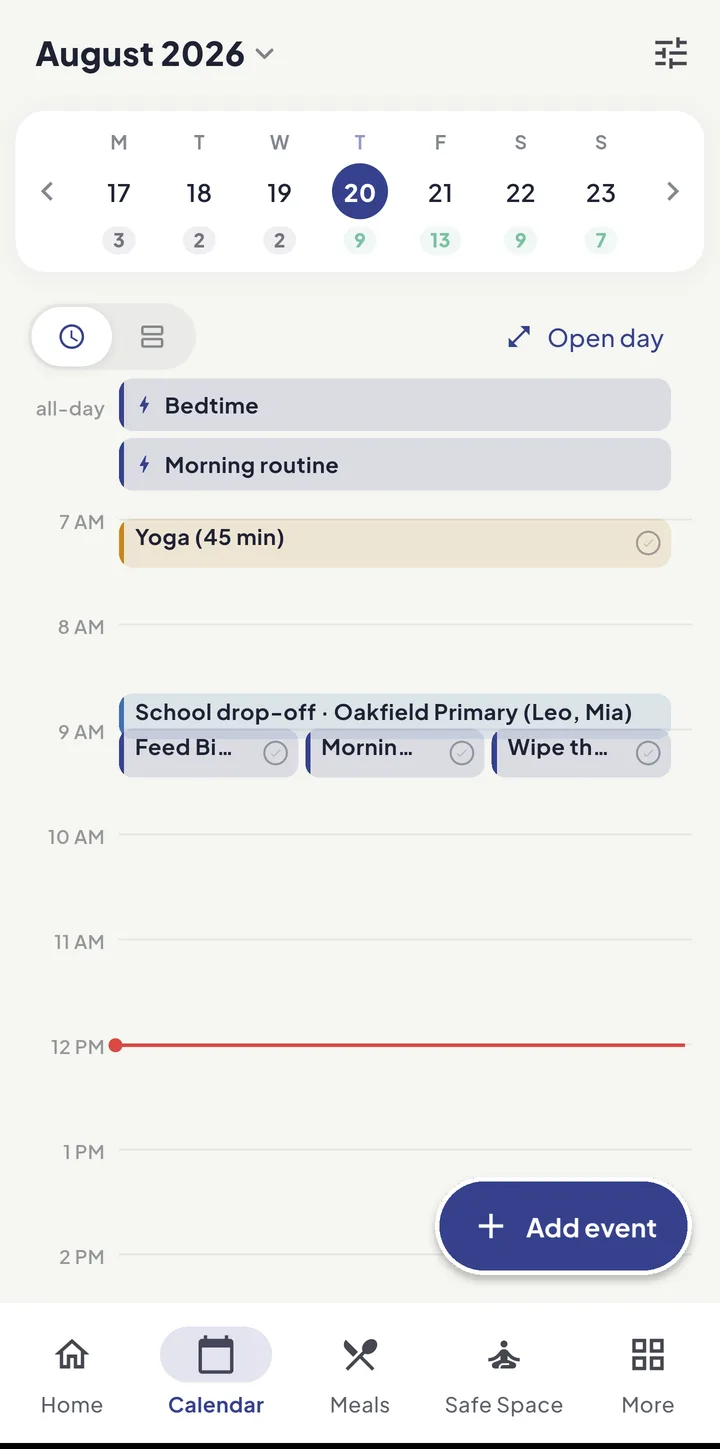
Kid Zone
A board of their own where kids pitch in and earn stars and pocket money — with Bric cheering them on and a parent always in the loop.
Learn more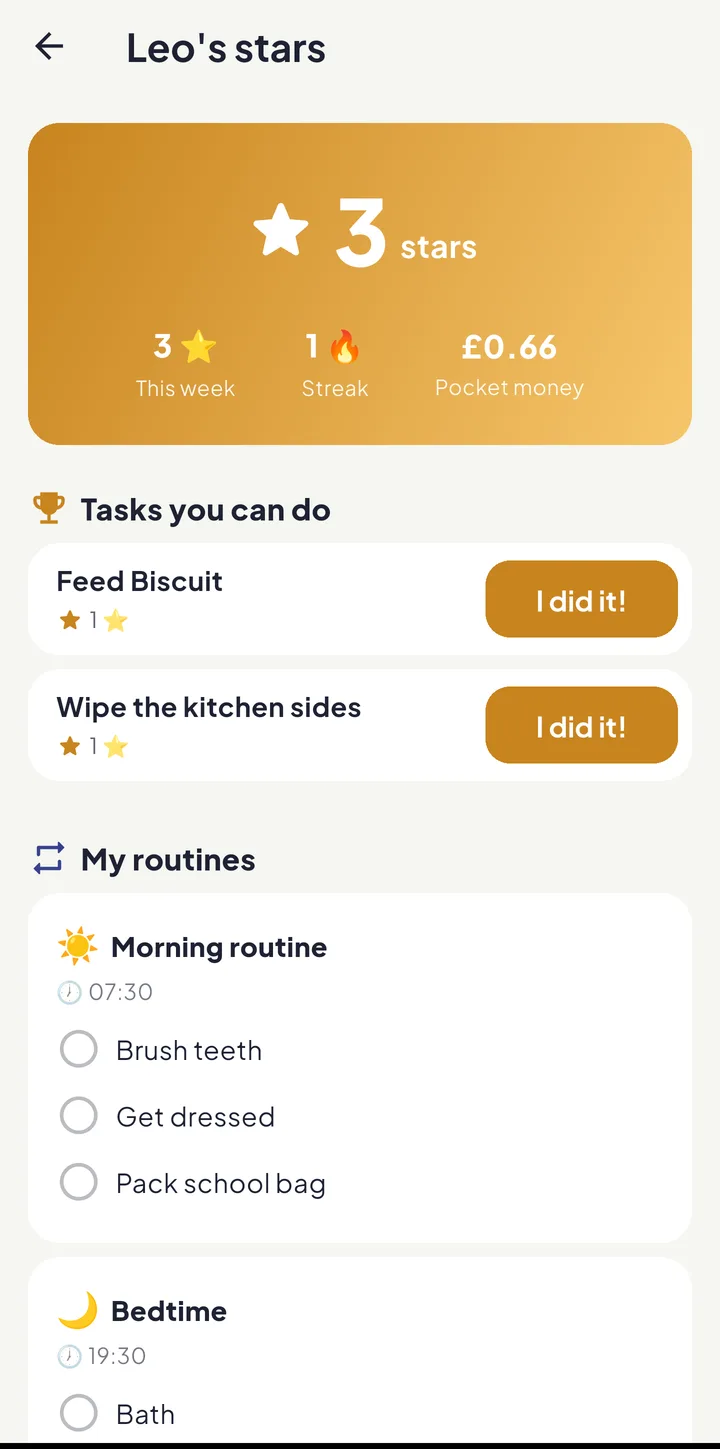
Our home
Write down how the house works, share out the pets’ care, and put today on a screen in the kitchen.
Learn more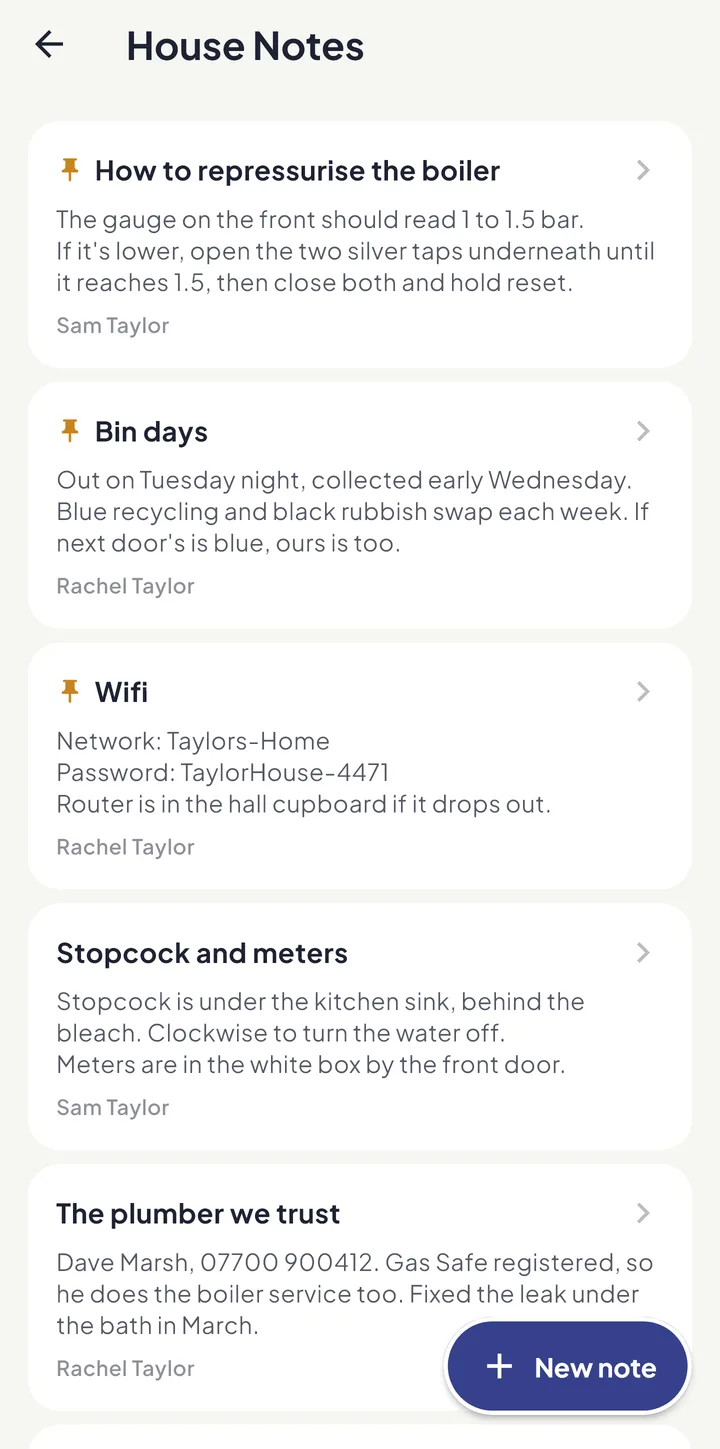
Family documents
Keep the family’s paperwork in shared or private folders — safe, tidy and easy to find.
Learn more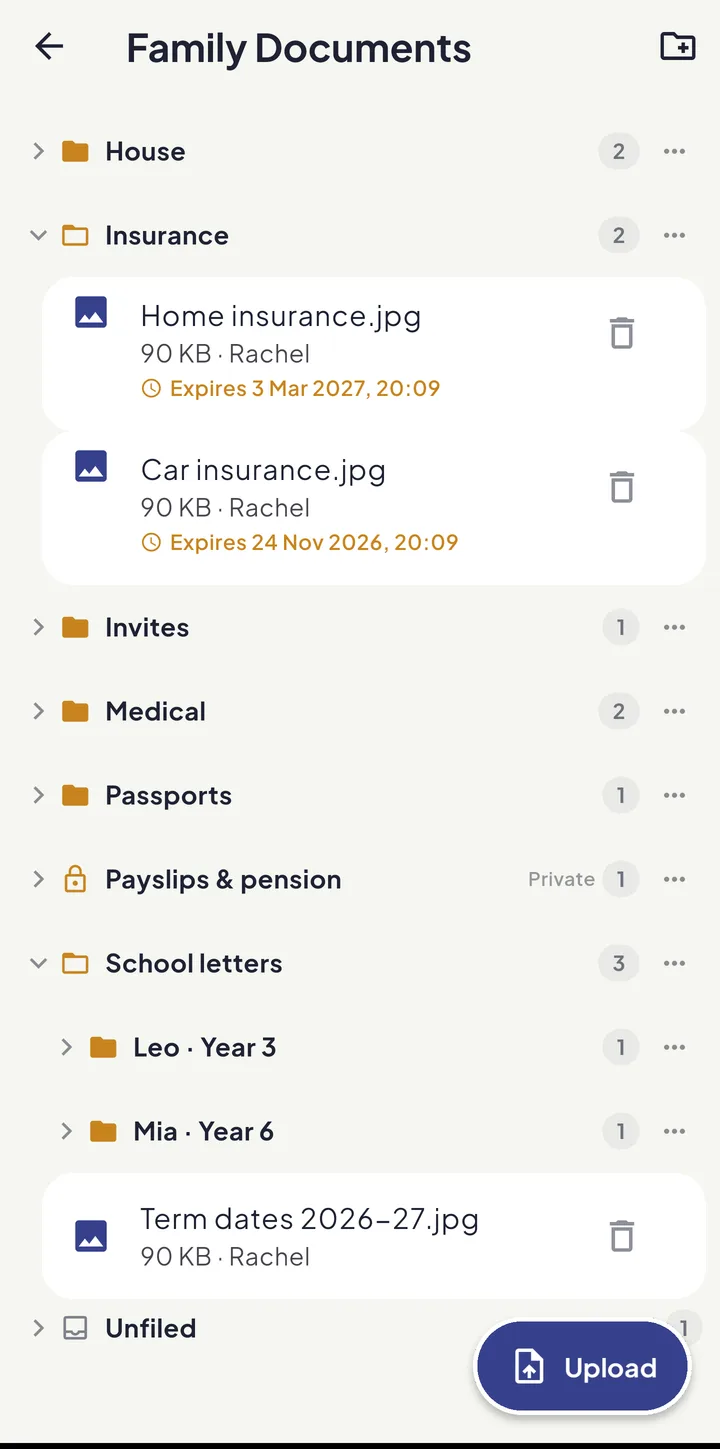
The school run
Pick your school from a UK-wide directory and let the whole term appear on everyone’s calendar.
Learn more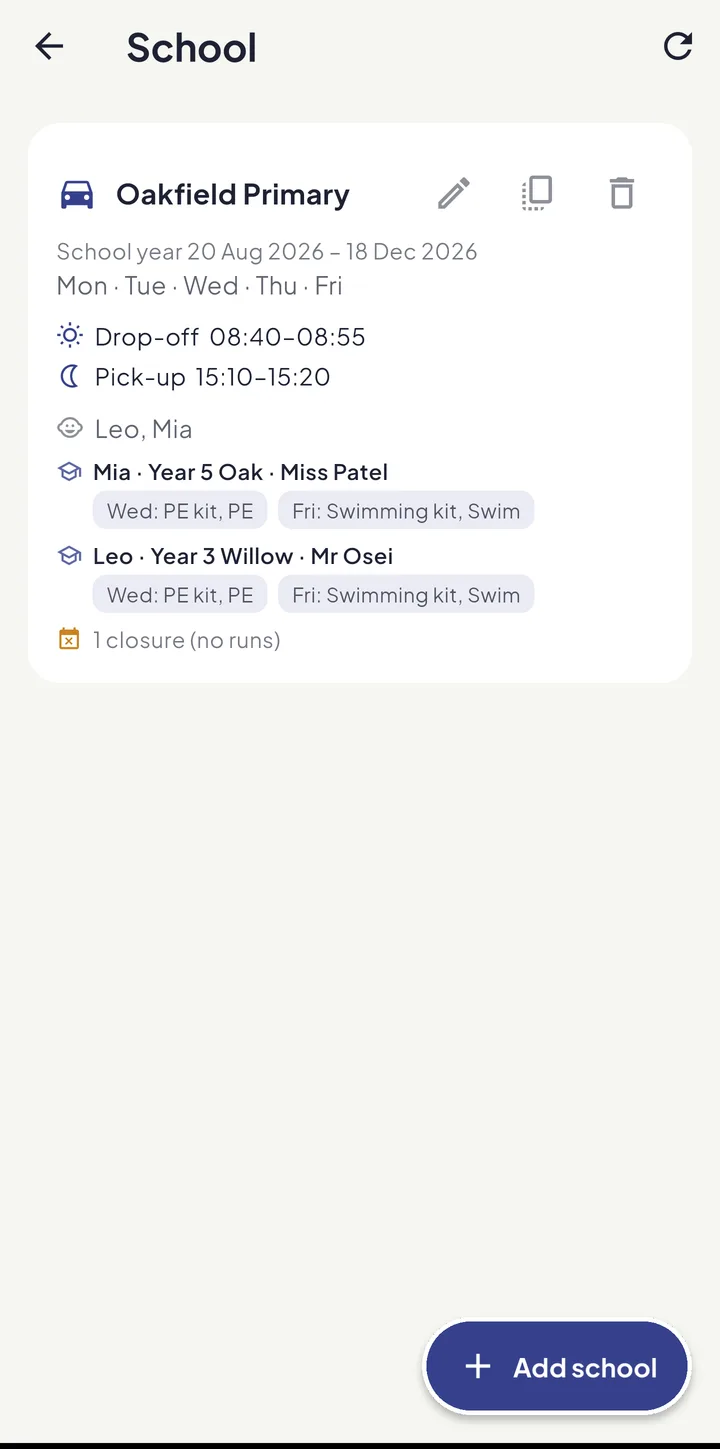
Extended family
Link relatives, friends and colleagues, see when everyone’s free, and plan events together.
Learn more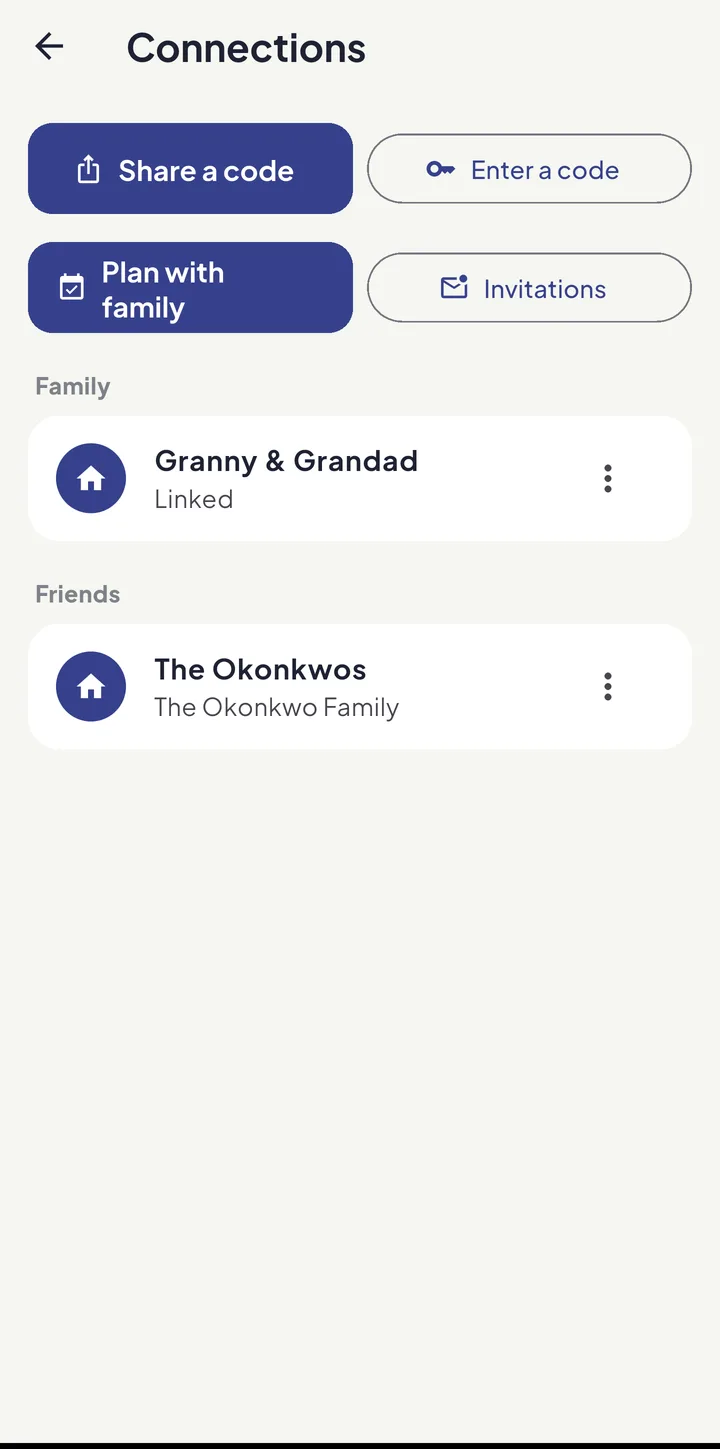
Wellbeing & Safe Space
Take a Breath, a private diary, UK helplines — and Safe Space for the hard conversations.
Learn more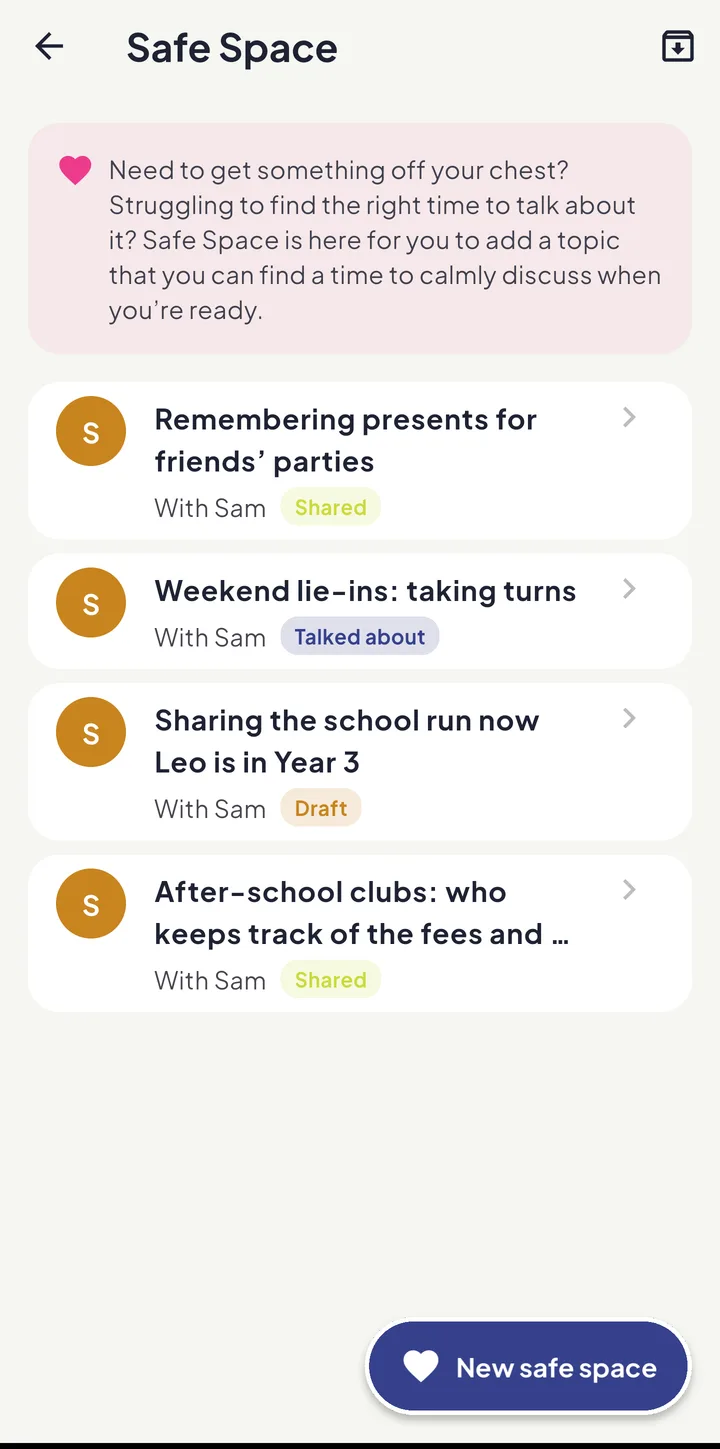
AI assistant
Ask Bric, snap a newsletter, speak a reminder or connect Claude — Equal House drafts it, and you decide.
Learn more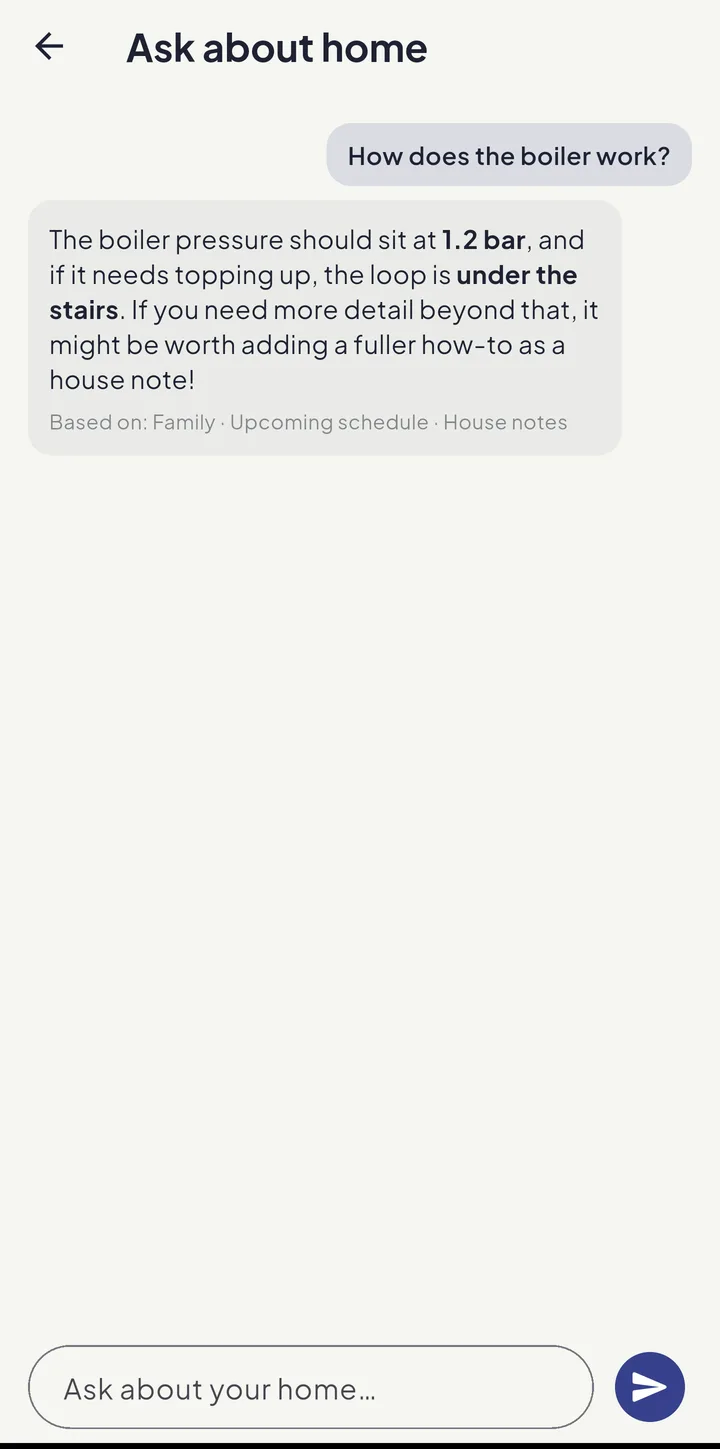
More ways Equal House lightens the week
Speak it
Tap the mic and say what’s coming up — “book the dentist by Friday”. “Speak it” sits at the top of Magic Add, which drafts the events and tasks from your words — and you confirm before anything is saved. Part of Equal House Pro — snapping a photo or pasting text into Magic Add is free, up to a monthly allowance.
Magic Add
Paste or photograph a school newsletter and Equal House suggests the events and chores inside it — you confirm before anything is saved. It is the first choice under Add on the Tasks tab.
Celebrations with Bric
Tick something off and Bric cheers: a full-screen “Done!” with an Undo, a bigger cheer when your part of the day is done, and a small buzz when it has saved. Turn any of it down in Settings → Celebrations; sounds are Android only.
Ready-made tasks
No staring at an empty screen: Tasks → Add → Ready-made tasks lists the jobs most households actually have. Tick the ones that are yours, and share them out now or later.
One job, any of you
Give a task to two or more people and whoever gets to it first takes the credit — with a priority badge, an optional due date, and a “How to do it” note a child can read on their board.
Work patterns & shifts
Set each grown-up’s working hours, or real shifts by date — save Early, Late and Nights once and put them on as many days as you like, or read them off a photo of your printed rota. Night shifts end the next morning, and the Fairness Engine allows for the sleep afterwards.
Renewals
Car insurance, the MOT, home insurance, passports: note each date once with as much warning as you want, and it is marked Coming up before it falls due, or Overdue if it passes. When you renew, it asks for the next date. Part of Equal House Pro.
Places & directions
Add a location to any event or party, see it on a map and tap for directions.
Time breakdown
See each adult’s scheduled hours split by category for the week or month — who’s really spending how long on what.
Wellbeing
Take a Breath, a journal that stays on your phone, and UK helplines — including the National Domestic Abuse Helpline — a tap away.
Say thanks from anywhere
A Thanks chip on a job your partner has just finished, and a Week in Review that counts what you got done together — with no winner.
Connections
Link relatives and friends by a share code, see free/busy only, find a time that works for everyone, and RSVP to shared events. Sharing your own code, finding a time and proposing an event are part of Equal House Pro; joining someone else’s link and replying are free.
UK school directory
Pick your school from over 30,000 across England, Scotland, Wales and NI, then put the whole term on the calendar. Setting up a school is part of Equal House Pro.
Nested document folders
Organise the family’s paperwork with folders inside folders. Shared or private, with secure, signed downloads. On every plan.
Your colours, your currency
Pick a colour scheme and the whole app changes as you tap, on that device. Set the household’s currency once and pocket money, money jars and meal budgets all follow.
App Lock
Require your fingerprint or device PIN to open Equal House. Set per device, kept on your phone, and built to fail safely so you’re never locked out of your own data.
Today’s tasks
One on-device notification a day with how many tasks you have, and a tap opens them. Per-person, at 9am or a time you choose.
Routines on the days you choose
Morning, bedtime and after-school routines for kids and grown-ups — every day, on weekdays, on school days that skip INSET days and bank holidays, or when you work — with a live “Next:” line. Grown-ups see a streak; a child’s board leaves it out.
Set up with Bric
New here? Answer four quick questions and Bric sets up your family, the first jobs and a date on the calendar. It is free, and you can run it again from More.
Start fresh
Clear the chores, repeats, events and school runs — all of them, or everything before a date — and keep the family, documents and pocket money. For the owner or an admin, and it asks twice.
Comparing us with something else? See how we stack up against Cozi, FamilyWall and the rest.
Share the home. Lighten the load.
Join the families using Equal House to split chores, childcare and the mental load fairly — and finally feel like a team again.


Free to start on your iPhone Free to start on your Android phone Free to start · No ads · Your family's data stays yours.