The family planner that shares the load fairly.
A UK family organiser app with a shared calendar, a meal planner with 6,000+ recipes and a shared shopping list, kids’ chores with pocket money, the school run and an AI assistant — and a Fairness Engine that shares the household work fairly between the grown-ups.


Tap the App Store — that's the one for your iPhone or iPad. Tap Google Play — that's the one for your Android device. Free on iPhone, iPad and Android. Everyone shares the same family data.
New in 1.17.0: a clearer Hand back, Remove ticked and dates that read day first
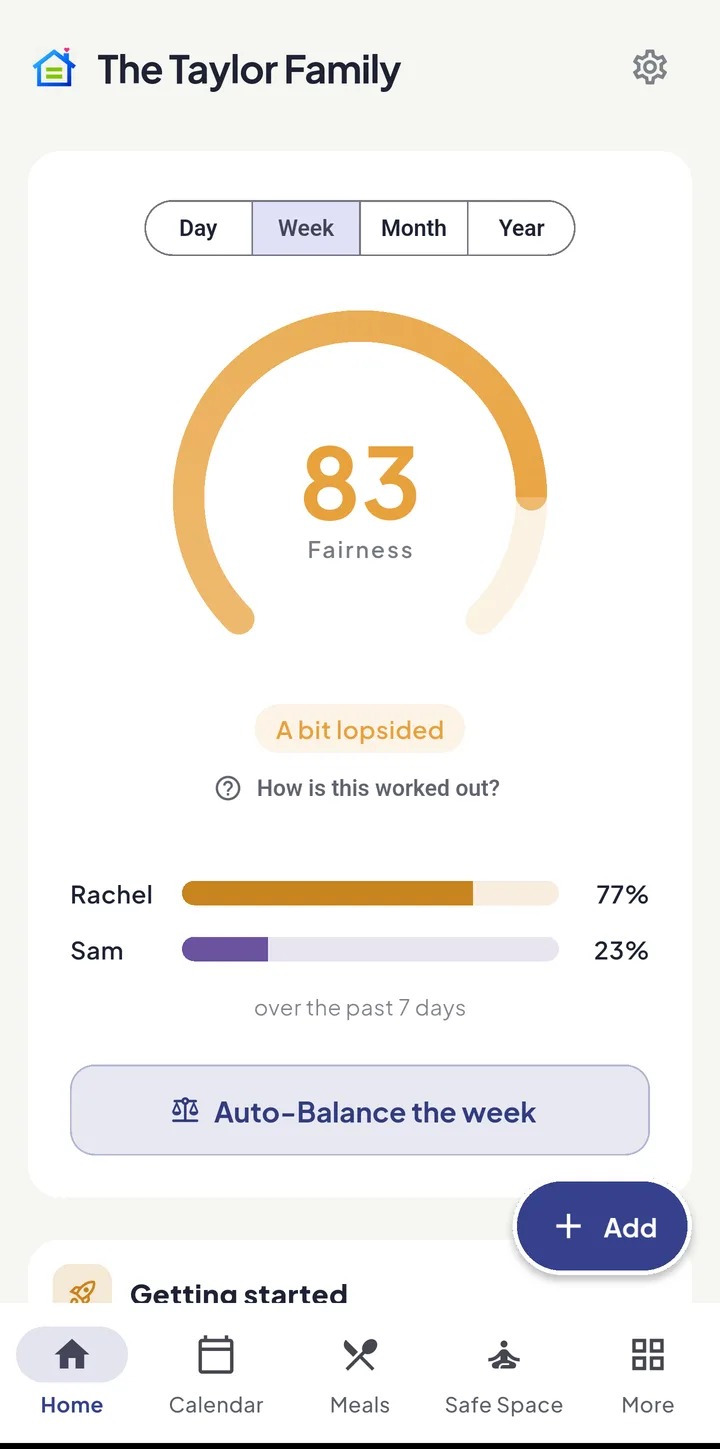
Fairness Score
Auto-balancedYour household this week
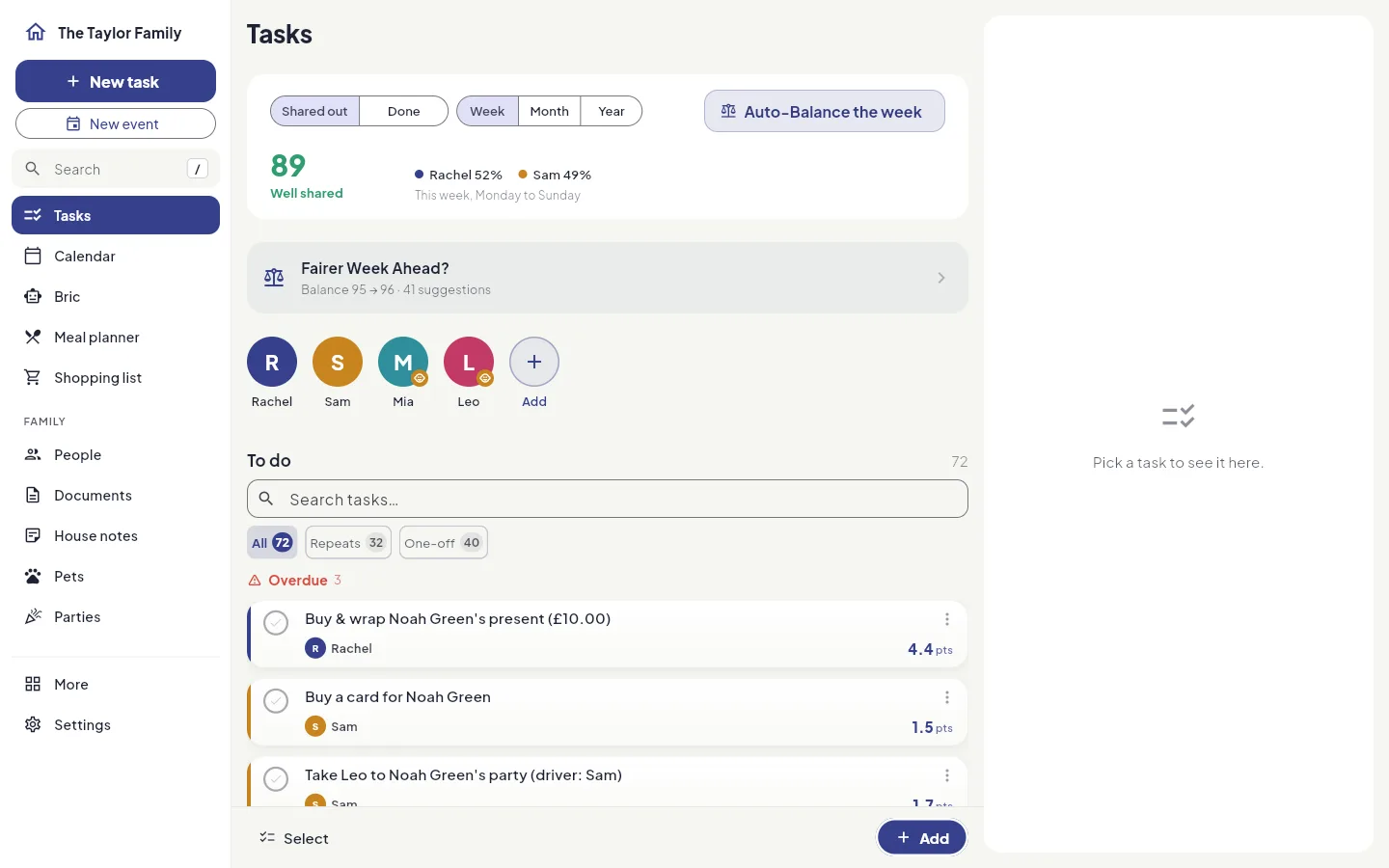
Tap Auto-Balance and Equal House shares the week by effort, suitability & who's free.
- Households sharing the load
- 191
- People in those households
- 419
- Things on the family calendar
- 568
- Tasks on the go right now
- 41,788
- Tasks ticked off
- 2,370
- Tasks ticked off in the last 7 days
- 240
- Households that shared out their tasks this week
- 2
- Meal plans made this week
- 3
Counted across every household using Equal House. Updating as you watch.
See what Equal House does
Read the transcript
School forms, dinner, the bins, the dentist — family life is full of little jobs.
And too often, all of it lives in one person's head.
Equal House counts the effort, not the ticks, and turns it into one fairness score.
Tap Auto-Balance, and the week is shared out by effort, and by who's actually free.
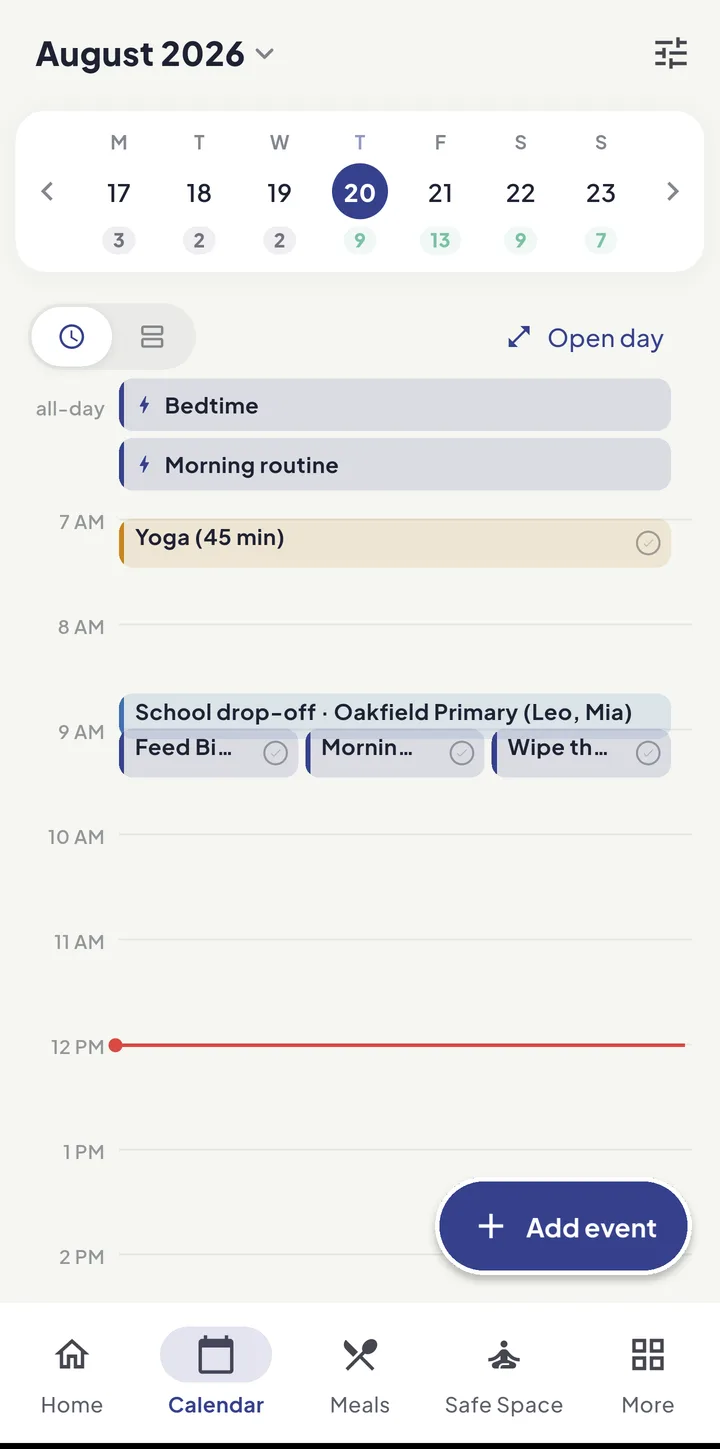
Everyone sees the same calendar.
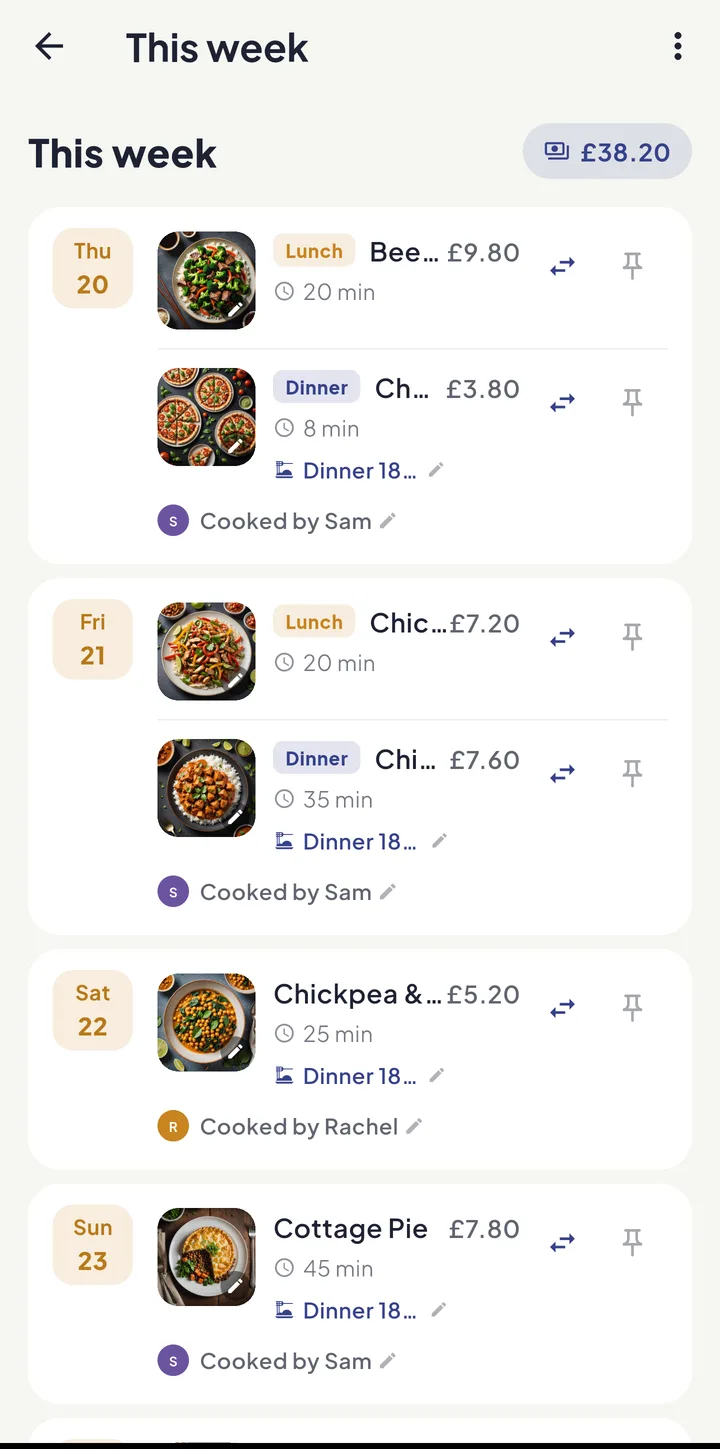
Dinners are planned and priced, with the cooking shared out.
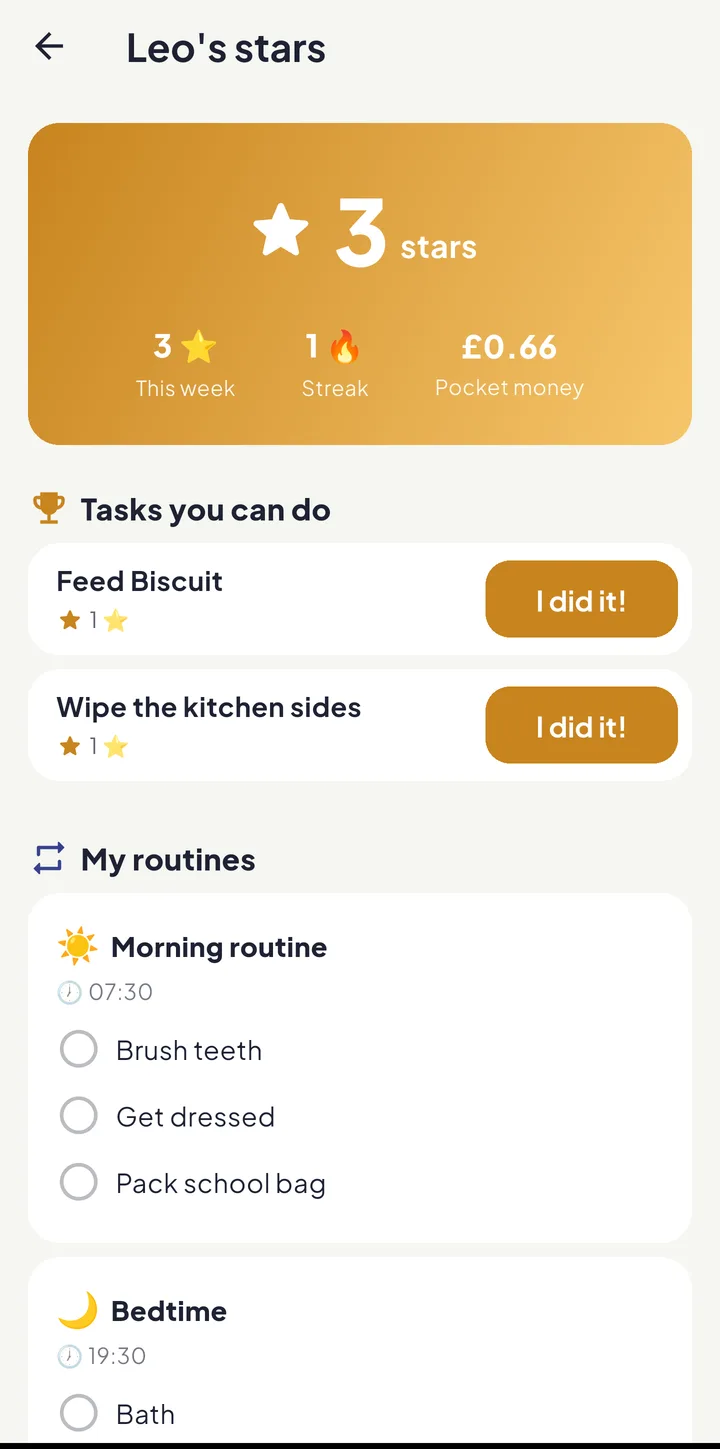
And the children get a Kid Zone of their own, with stars, routines and pocket money.
Equal House — share the load, fairly.
The to-do list isn't the hard part. Carrying it in your head is.
In most homes one person quietly tracks everything — what's for dinner, whose turn it is, when the form is due. That invisible work, the mental load, is exhausting and rarely shared. Equal House makes it visible, measurable and genuinely splittable.
Invisible work, made visible
Every chore carries an effort weight, so the heavy, unseen jobs finally count for what they are.
Shared, not delegated
No more being the household manager who assigns everything. The engine balances it for you.
Fewer resentment fights
A single, honest number replaces the “I do everything” argument with something you can both see.
From chaos to calm in four steps
Set up in minutes. Equal House does the balancing — you get a household that runs as a team.
- 01
Create your household
Add the adults and children who live with you — or answer four quick questions and let Bric set it up. Children get safe, account-free profiles you control. Use it on your phone, or on a computer at app.equal.house.
- 02
Add the real work
Capture chores, events and routines — or let the planners and Magic Add fill them in from a school newsletter.
- 03
Let the engine balance it
Watch your Fairness Score, tap Auto-Balance, and share the load by effort and by who’s actually free.
- 04
Live a calmer week
Everyone sees the same agenda, kids earn for helping, and the mental load stops landing on one person.
A walk through Equal House
Who is carrying the week, everyone’s week in one place, dinner with a cook on every night, and a school letter turned into tasks — in under a minute.
Read the transcript
Rachel's doing seventy-three percent of it. So tap Auto-Balance, and the week is shared out on the spot.
The calendar is just the events — who's where, and when — with a count under every day.
Seven dinners, priced, and every one of them already has a cook on it.
Paste in a school letter and it finds the disco, the PE kit, the reading books.
Equal House — share the load, fairly.
This is what you actually get
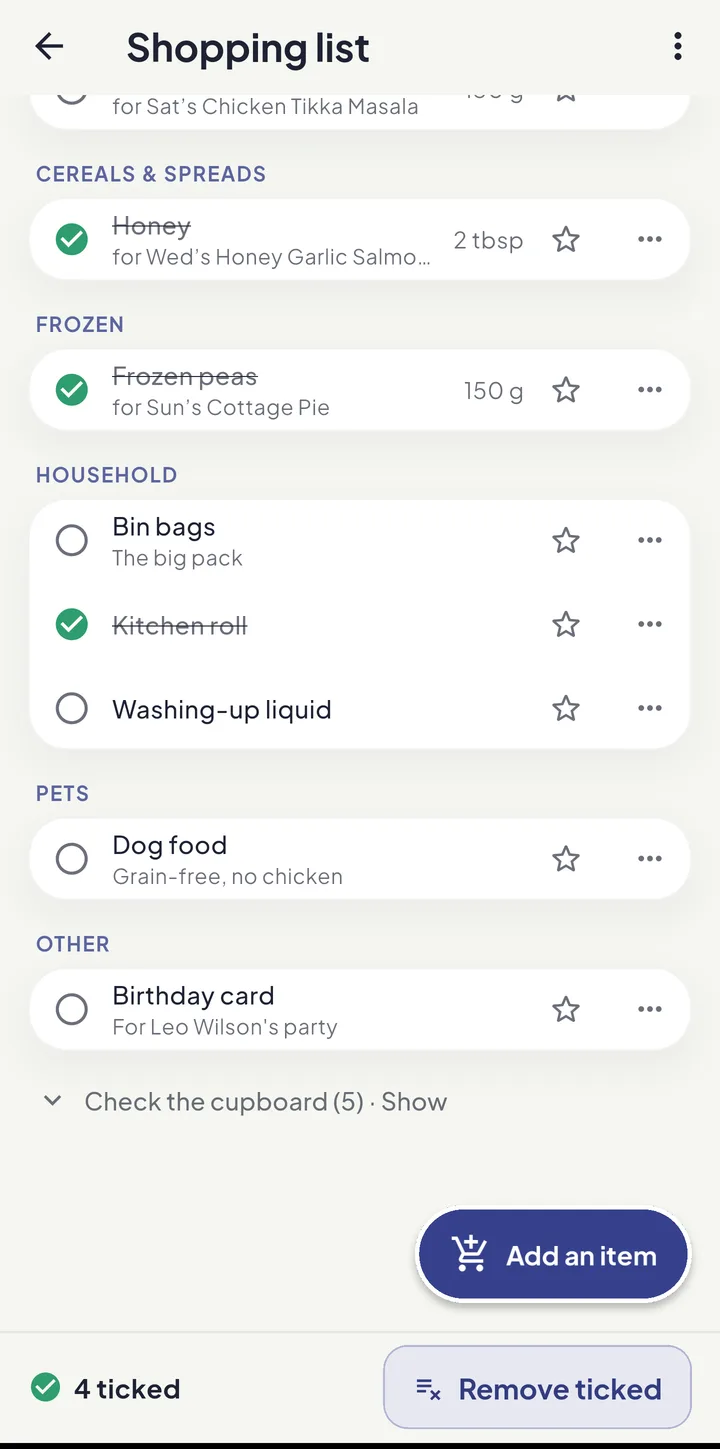
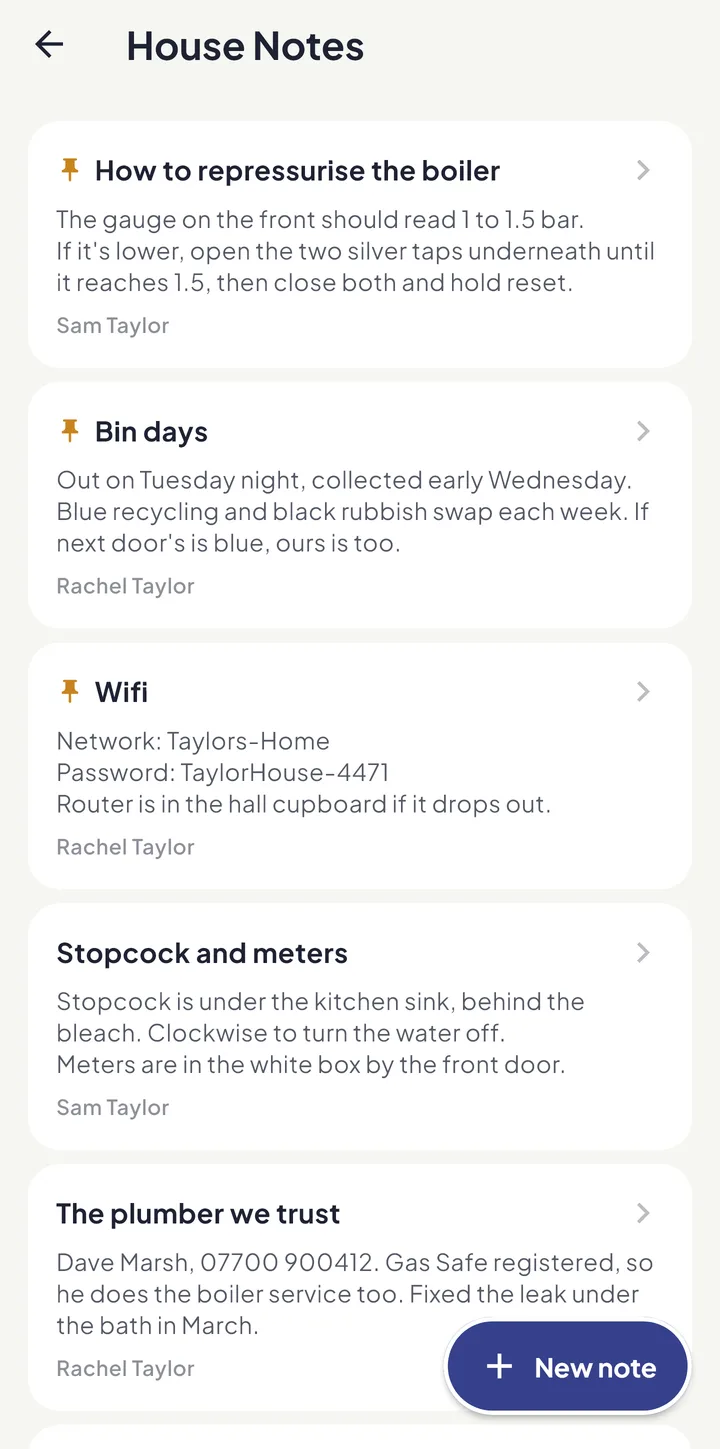
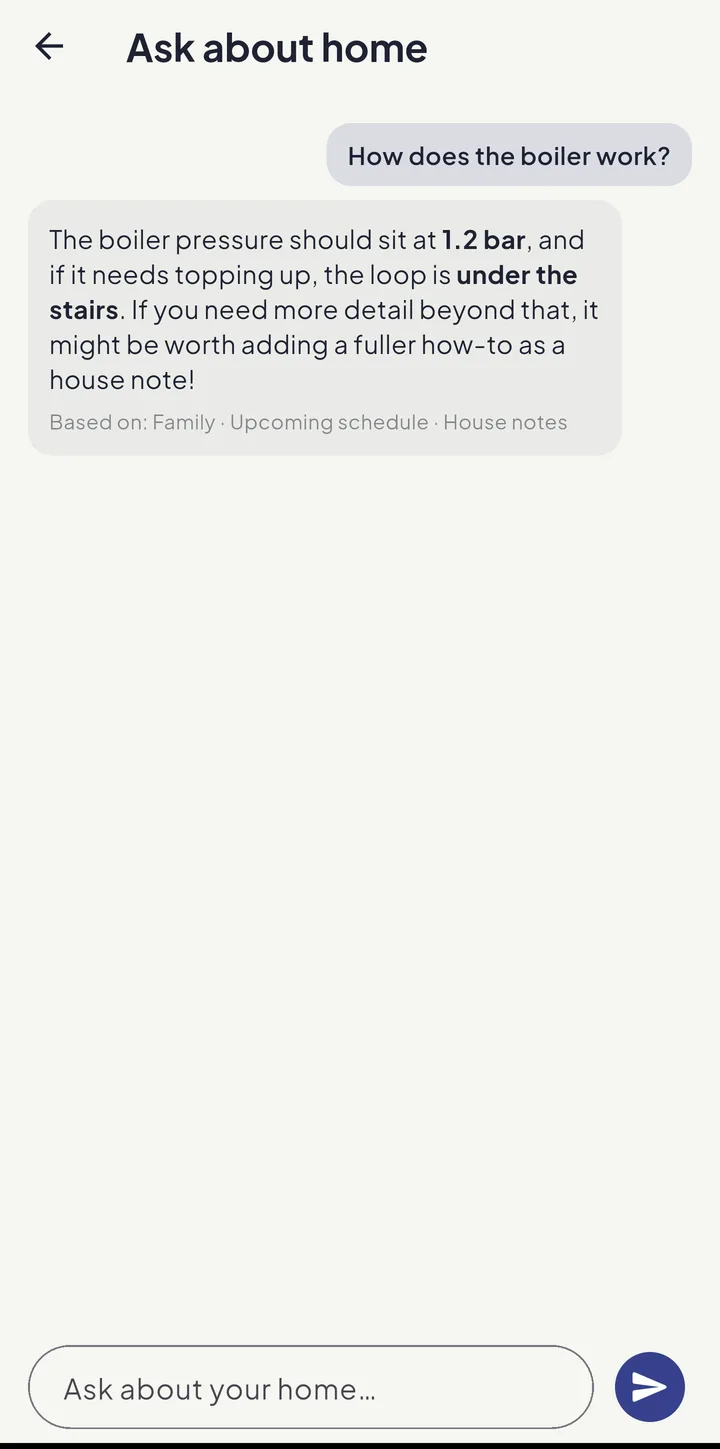
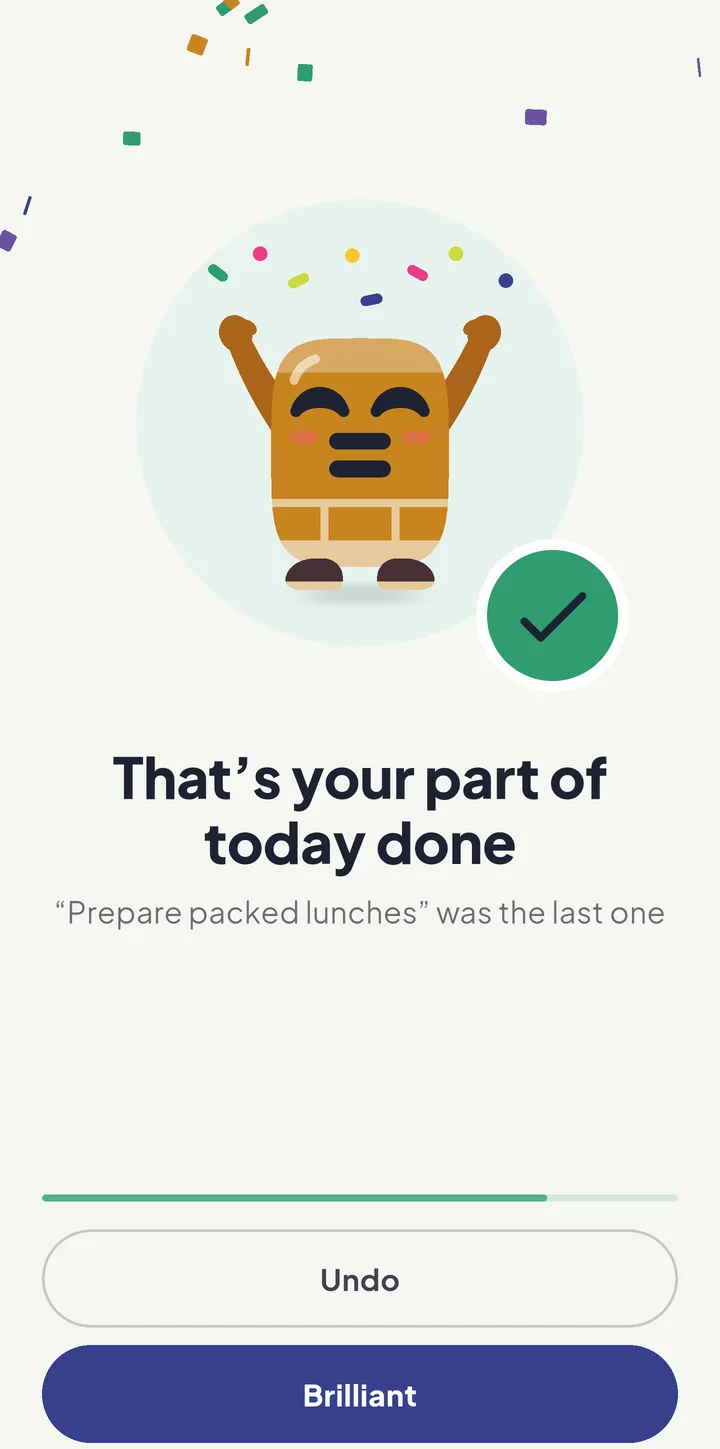
Real screens from a demo family, the Taylors — the score, the day, dinner and the shop, the bit the children see, the house’s know-how, and Bric cheering when your part of the day is done.
Plan the week on a big screen
Equal House also runs in your web browser at app.equal.house: a week board, a week calendar, a meal plan you can drag, and a Family Wall that turns a spare laptop or the TV into the family’s day. Same account as your phone, and no separate price.
On a phone, Equal House is the app, so open this page on your computer to try it.
One app for the whole of family life
A fairness engine at its heart, wrapped in the planners, calendar and tools a busy family actually uses.
Fairness Engine
A live Fairness Score that makes the mental load visible — and balances it for you.
ExploreSmart planners
Planners that turn “what’s for dinner?” and “is it PE tomorrow?” into a done plan — and one shopping list for the whole house.
ExploreShared calendar
Events, parties, school feeds and work shifts in one calm family agenda — with the chores kept on Tasks.
ExploreKid Zone
A board of their own where kids pitch in and earn stars and pocket money — with Bric cheering them on and a parent always in the loop.
ExploreOur home
Write down how the house works, share out the pets’ care, and put today on a screen in the kitchen.
ExploreFamily documents
Keep the family’s paperwork in shared or private folders — safe, tidy and easy to find.
ExploreThe school run
Pick your school from a UK-wide directory and let the whole term appear on everyone’s calendar.
ExploreExtended family
Link relatives, friends and colleagues, see when everyone’s free, and plan events together.
ExploreWellbeing & Safe Space
Take a Breath, a private diary, UK helplines — and Safe Space for the hard conversations.
ExploreAI assistant
Ask Bric, snap a newsletter, speak a reminder or connect Claude — Equal House drafts it, and you decide.
ExploreFairness you can finally measure
The Fairness Engine weights every task by effort, respects who's away or at work, keeps unsafe jobs away from children, and distils it into one number from 0 to 100. When the home tips onto one person, you'll see it — and one tap brings it back into balance.
- Effort-weighted — five quick jobs never hide one exhausting one
- Auto-Balance shares the week out, then tells you the projected score
- Away periods are skipped automatically
- Reassigning respects roles, so adult tasks never land on a child
Before Auto-Balance
The planning, done for you
Planning is invisible work too. These planners do the thinking, then drop the jobs straight into the Fairness Engine.
Meals
Budget- and diet-aware dinners from 6,031 recipes across 52 cuisines, with the cooking shared out — three days ahead on the free plan, a full week with Pro.
The shopping list
One list for the whole house, in UK supermarket aisle order — add anything, and the week’s ingredients join it.
Parties
For anyone’s party: gift ideas, the invitation to hand, and a tidy chain of jobs — card, present, lift.
The school run
A term of drop-offs and pick-ups on one calendar, with each child’s kit days alongside. Part of Equal House Pro.
Private by design, for the whole family
A family app holds your most personal details. Equal House treats them that way — children need no email address or password, your wellbeing journal never leaves your device, documents are private when you mark them so, and your information is never sold. Your household’s data is stored in London, and the AI features run in the UK and the EU.
No data selling
Your family’s data is yours. We don’t sell it or trade it.
Safe for kids
Children sign in with a family picture code on a device you have approved — no email address and no password, and only a grown-up adds their details.
Wellbeing stays on-device
Your private journal is stored only on your phone and is never uploaded.
Private documents
Per-owner privacy with signed, time-limited downloads.
The basics
What is Equal House?
Equal House is a UK family organiser app for iPhone, iPad and Android, and on a computer at app.equal.house: a shared calendar, a meal planner with 6,000+ recipes and a shared shopping list, kids’ chores with pocket money, the school run and an AI assistant, with a Fairness Engine that shares the household work fairly between the grown-ups. A live Fairness Score shows how the work is split, by effort rather than by count, and Auto-Balance moves jobs to whoever has room.
How does the Fairness Score work?
Every task carries an effort weight, and an effort-weighted ledger of who does what becomes a single 0–100 score for how the grown-ups share the home. 86 and above is green, 75 to 85 amber and under 75 red, which shows the load has tipped onto one person. You can see it for the week, the month or the year. Children are counted separately, on their own boards, and never scored. One tap on Auto-Balance shares out the upcoming chores straight away to bring it back towards balance; if you would rather choose job by job, More → Fairer Week Ahead suggests moves for you to accept. The Fairness Score page at equal.house/fairness-score works through it with real numbers.
Is it really fairer than just splitting chores 50/50?
Yes. A 50/50 split by count ignores that some jobs take far more time and energy than others. Equal House balances by effort and by who is actually free that day — giving no work to anyone marked as away on those days, and expecting less of anyone at work — so fairness reflects real life.
Do my children need accounts?
Not an account, but they do sign in. A child taps your family’s chosen set of emojis, picks their avatar and enters a PIN — and the code is only accepted on a device your family has approved. A grown-up can approve a device by signing in on it, or by sending a setup code to a child’s own phone. A child needs no email address or password, and only a grown-up adds their details.

Share the home. Lighten the load.
Join the families using Equal House to split chores, childcare and the mental load fairly — and finally feel like a team again.
Free to start on your iPhone Free to start on your Android phone Free to start · No ads · Your family's data stays yours.